Why “smart cleaning” isn’t one feature—it's a stack
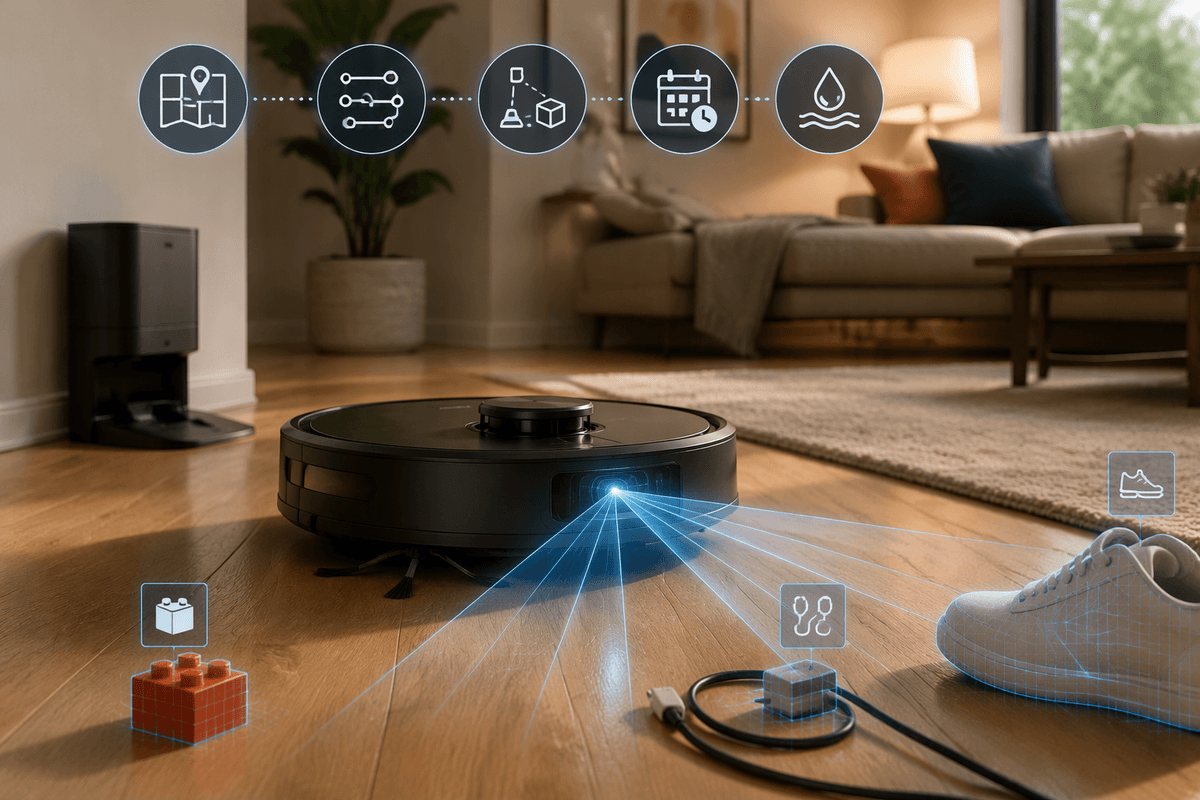
You notice it the first week: one robot “feels smart” because it cleans the whole place without drama, while another gets stuck under a chair, misses edges, and needs rescuing. That difference usually isn’t one magic AI toggle. It’s a stack of parts working together—mapping, navigation, obstacle detection, route planning, and the simple mechanics of brushes, suction, and mopping pressure.
When one layer is weak, the whole experience degrades. Great suction can’t help if the robot can’t reach the room reliably, and a fancy map doesn’t matter if it eats charging cords. The practical trade-off is cost and complexity: better sensors and on-device computing tend to raise price, and more features can mean more settings, more updates, and more ways for things to break or change over time.
When “AI” is marketing: what capabilities actually matter
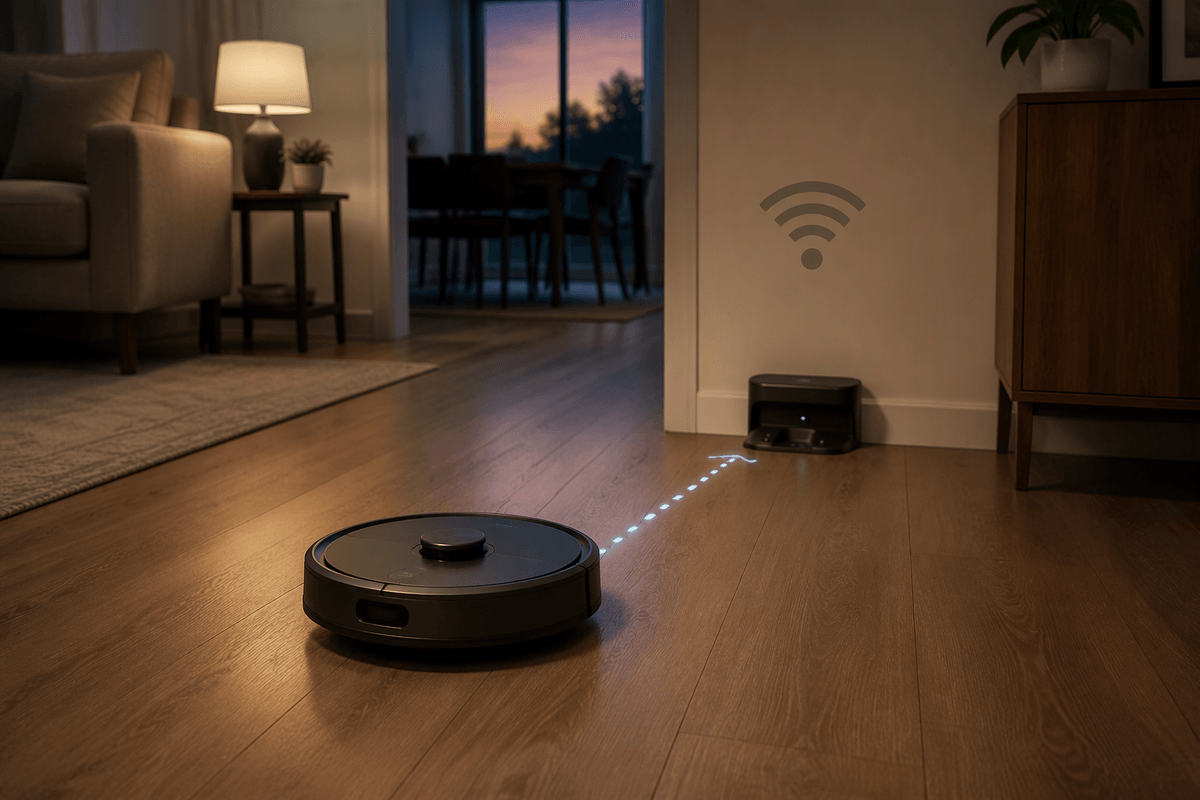
You’ve probably seen “AI-powered” used to describe everything from random pathing to genuinely capable room-by-room cleaning. A simple way to cut through it is to look for outcomes, not labels: does it build a stable map, choose efficient routes, and keep cleaning without you babysitting it? If the product page can’t clearly describe how it navigates and what it does when it meets clutter, the “AI” claim usually isn’t doing much work.
The capabilities that tend to matter day to day are consistent mapping (so it doesn’t forget rooms), reliable localization (so it returns to where it left off), and obstacle handling (so it avoids cords, socks, and pet mess). Practical checks: can you set no-go zones and room order, does it support multi-floor maps, and does it keep working if Wi‑Fi drops? Real limitation: the more it leans on cameras and cloud features, the more you’re accepting privacy trade-offs and update-driven changes.
Maps and navigation: LiDAR, cameras, or random bouncing?
Advertisement
A robot vacuum’s navigation system usually makes itself obvious within the first ten minutes of a cleaning run. Random-bounce models change direction on impact and eventually cover most of the floor, but waste time retracing the same patches and rarely make it through an entire home on a single charge. They work fine for small studio spaces, but fall short in multi-room houses.
LiDAR-equipped units — recognizable by a small spinning turret on top or discreet built-in sensors — build the most stable maps under normal lighting, follow straight paths, and clean in a regular grid pattern. They are generally the most reliable pick for multi-room schedules and for picking back up mid-clean after a recharge.
Camera-based navigation excels at recognizing landmarks and objects, but depends more heavily on lighting conditions and can raise privacy concerns if image processing happens in the cloud. A few practical checks before buying: confirm the model can save maps, support room labeling, and store separate maps for different floors. One notable physical constraint: LiDAR turrets add height, which can cut down clearance under low furniture.
Obstacle avoidance in real homes: cables, toys, and pets
You don’t really test obstacle avoidance with a tidy demo room. You test it with a phone charger half tucked under a sofa, a kid’s block on a dark rug, and the stray sock that appears after laundry day. Basic “bump-and-turn” avoidance treats these like walls, which can mean dragged cords, jammed brush rolls, or the robot repeatedly failing the same doorway until you intervene. Better systems combine a forward sensor with a short-range “what’s in front of me” check, slow down near clutter, and detour without abandoning the whole room.
Pets make this less forgiving. Hair and litter are normal; accidents are the risk. If you have pets, look for explicit claims about recognizing and avoiding small objects and waste, and check how the robot behaves in low light. A real cost: stronger object detection often comes from cameras, which can increase cloud dependence, privacy exposure, and “it got worse after an update” surprises.
Advertisement
Routines that stick: learning your home and your habits
The line between a genuinely helpful robot vacuum and one that becomes just another household chore shows up in small, everyday details. Schedules kick in reliably while no one is home, cleaning order aligns with where dirt accumulates across the space, and boundary lines hold firm around rugs and pet bowls. The “smart learning” that actually delivers value is usually straightforward and practical: maintaining a stable map, remembering past stuck points, and plotting routes that wrap fully before battery runs dry.
Prioritize customizable routines, not just one-size-fits-all automation. Useful features include per-room suction and mopping intensity settings, “post-meal clean” zones near the kitchen, and quick spot cleans that don’t require rebuilding the full navigation map. Multi-floor support is essential for walk-ups and split-level homes, though performance can be inconsistent: reposition the dock or lift the robot mid-run, and some models lose their bearings and kick off a partial remapping cycle.
Achieving truly hands-off daily cleaning often means spending an hour labeling rooms, marking no-go zones, and resolving map splits to tune the system for consistent, uninterrupted runs.
Cleaning results aren’t just suction: floors, edges, and upkeep
Advertisement
You can have great navigation and still feel disappointed if the actual cleaning pattern and hardware don’t match your floors. On hard floors, the difference often comes down to whether it can keep consistent contact and pull debris into the intake instead of snowplowing it ahead of the brush. On carpets and rugs, “boost” modes help, but only if the robot slows down enough to work the fibers and doesn’t keep dodging away from edges where dust collects.
Edges and corners are where the “smart” part meets reality. A robot that hugs walls tightly, slows near baseboards, and uses a side brush that doesn’t scatter debris will leave the home looking finished. Check whether it supports targeted edge passes or room-specific settings, because one size rarely fits every surface.
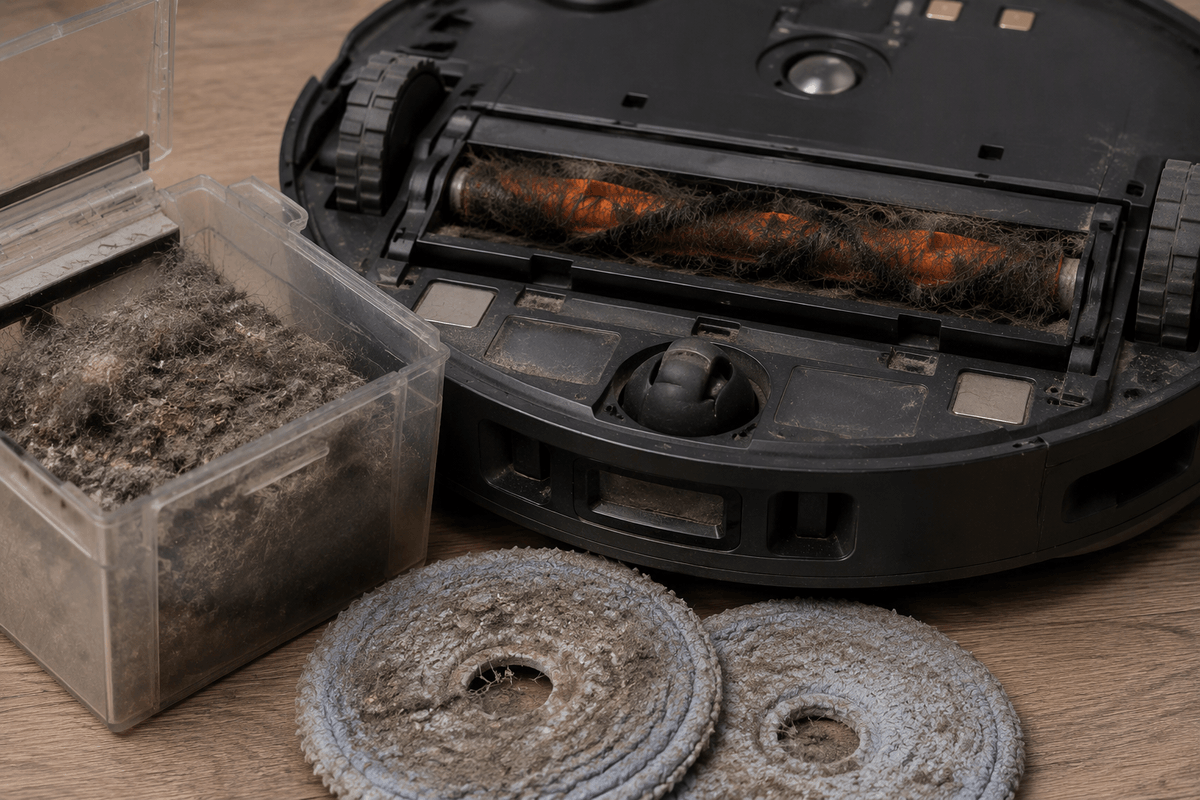
Upkeep is the hidden cost: tangled hair, dirty sensors, saturated mop pads, and a full bin will make any model look dumb. Auto-empty and pad-washing docks reduce work, but add noise, space needs, and ongoing bag or detergent costs.
Privacy, cloud dependence, and updates you’ll live with
Privacy concerns and cloud dependency hit hardest when a robot demands yet another permission for basic functions: viewing maps, editing no-go zones, or starting a scheduled clean while no one is home. Camera-based obstacle avoidance delivers real utility, but it also begs the question of where those images are processed and stored. Prioritize products with clear disclosures around on-device processing, exactly what data gets uploaded, how long it is retained, and whether cloud features can be opted out of without sacrificing core functionality.
Cloud reliance reveals itself in reliability, not abstract debates. If Wi-Fi cuts out or the vendor’s servers go down, will the robot still stick to its cleaning schedule, dock properly, and fall back on saved maps? Updates are the other long-term consideration. They can refine object detection over time, but they can also alter navigation behavior, trigger a full home remap, or tack on new account requirements. Key practical checks include local onboard controls, physical manual start buttons, user-controlled update settings with delay options, and a proven track record of sustained support for older models.
A simple way to choose: match the AI to your home
Picture your “worst normal day”: dim hallway lighting, a couple of cords, dining chairs, a rug edge, and whatever ends up on the floor after work. If you live small and tidy, stable mapping and room scheduling matter more than fancy object recognition; a good LiDAR bot with no-go zones is often enough. If you have pets or kids, prioritize reliable obstacle avoidance in low light and strong brush anti-tangle, even if it costs more and may lean on cameras. If you move between floors, confirm multi-map support and that it can run (at least basically) when Wi‑Fi is down.