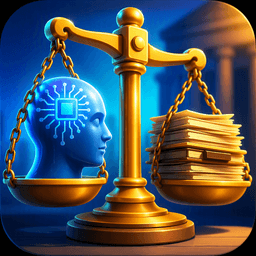
AI literacy is about better decisions, not hype
It’s easy to treat AI like a shortcut: paste in a prompt, get an answer, move on. The trouble is that “sounds right” and “is right” aren’t the same, especially when the output looks polished. AI literacy is less about knowing model names and more about making good calls: when to use the tool, what to ask for, what to double-check, and what not to share.
In practice, AI is best seen as a capable assistant with blind spots. It can speed up drafting, summarizing, and brainstorming, but it can also introduce subtle errors that cost time to find. The goal is a repeatable decision habit: use AI where it reduces work and risk, and skip it when it adds uncertainty.
Start with the task: what are you actually trying to achieve?

You’ve probably seen the pattern: you open a chatbot, type a vague request, and get a response that’s technically “an answer,” but not the one you needed. The fix is to start by naming the job, not the tool. Are you trying to decide, explain, persuade, troubleshoot, or produce something that will be reused? Each goal sets a different bar for accuracy, tone, and evidence.
Try a simple split: “thinking work” versus “execution work.” For thinking work—generating options, outlining, spotting counterarguments—AI can help you move faster because you’re evaluating ideas, not accepting them whole. For execution work—final numbers, policy language, citations, client-ready claims—you need tighter inputs and clearer success criteria, or you’ll spend the saved time cleaning up confident mistakes. A good prompt often starts with: audience, format, constraints, and what “done” looks like.
Advertisement
Know what AI can’t see: gaps, hallucinations, and context
You’ve likely had an AI tool give you a crisp explanation that falls apart the moment you ask, “Where did that come from?” That’s the core limitation: it doesn’t “see” your real-world situation unless you provide it, and it can’t reliably tell when it’s missing key facts. When information is incomplete—an ambiguous email thread, an internal process, an edge-case customer scenario—the model will still produce something coherent. Sometimes it guesses correctly. Sometimes it fills the gap with a plausible-sounding mistake.
Hallucinations usually show up in predictable places: specific numbers, quotes, dates, legal or medical claims, and citations. Context errors are quieter: it may miss that your company uses different definitions, that last quarter’s policy changed, or that a “simple” step is blocked by a tool your team doesn’t have. If the output will be reused or forwarded, treat the model as a draft generator and build a quick verification habit: ask it to list assumptions, flag uncertainties, and separate “known” from “inferred” so you can check the risky parts first.
When does AI save time—and when does it create more work?
A simple test helps determine whether AI will actually save time: how quickly can the result be judged? Familiarity with the subject makes AI useful for first drafts, cleaning up meeting notes, adjusting tone, turning bullet points into a memo, or producing several alternatives for comparison. The same applies when the standard is simply “good enough,” such as an internal outline, study guide, or list of questions for a 1:1. In those situations, speed and clarity matter more than a polished final result.
Advertisement
The calculation changes when errors are difficult to spot or costly to fix. Work that depends on precise facts, current policies, niche rules, or organization-specific knowledge often leads to a rework loop: time goes into prompting, followed by verification and repairs when confident-sounding gaps surface. Messy inputs create similar problems. A long discussion thread or half-finished specification may require several rounds before the output reflects the intended meaning.
Once the time spent checking an AI result approaches the time required to do the work directly, the efficiency advantage starts to disappear. At that point, either skip the tool or limit its role to a draft that can be validated quickly.
What data can you safely share with an AI tool?
You’ve probably felt the temptation to paste “just enough” context—an email thread, a contract clause, a spreadsheet snippet—so the tool can give a useful answer. The safest rule is to assume anything you share could be stored, reviewed, or resurfaced later, even if the interface feels private. Treat AI input like an external vendor: if you wouldn’t paste it into a public ticket or send it to a stranger for help, don’t paste it into a chatbot. That includes customer data, student records, health details, passwords, API keys, unreleased financials, and anything covered by NDA.
What usually is safe: information you could publish without harm, plus sanitized versions of internal work. Replace names with roles (“Client A”), remove identifiers, round or mask numbers, and excerpt only the lines needed for the task. If you’re summarizing a meeting, share your own notes instead of the raw transcript. If you need policy guidance, paste the policy text, not the employee situation it came from. The trade-off is accuracy: redaction takes time, and stripped context can lead to generic advice, so keep your request narrow and add only the minimum details that change the answer.
Advertisement
How much trust is required: low-stakes drafts vs high-stakes outputs

Trust becomes a practical concern the moment a draft feels difficult to send without checking it first. A rough note written for personal use leaves more room for mistakes because the writer remains the final filter. A client email, performance review comment, explanation that affects a grade, or decision memo carries much greater consequences. A useful way to set the standard is to consider two things: how much harm would an error cause, and how quickly would that error become apparent? Minor mistakes that are easy to catch leave more room for speed. Costly errors or problems that may go unnoticed demand a much higher level of confidence.
For routine work, the model works well as a source of raw material. Ask for several alternatives, a cleaner structure, a shorter version, or a more neutral tone, then shape the result into the final version. High-stakes work calls for a narrower role. AI may help build a checklist, surface assumptions, raise counterarguments, or revise wording that has already been checked. The underlying facts should still be verified against primary sources, whether that means internal data, a policy, a contract, or a textbook, with a person responsible for the final approval.
Thorough verification can consume much of the time saved by generating the first draft, so high-trust uses make sense only when the result can be checked properly. Where reliable validation is difficult, keeping AI at the edges of the workflow is usually the safer and more efficient choice.
A practical “worth using” checklist you can reuse tomorrow
You’re about to open a chatbot because you want to move faster. Run this quick checklist first: (1) Can I state the task and “done” in one sentence? (2) Will I be able to judge the result in under five minutes? (3) Is the work low-stakes, or do I have a clear verification source (policy, spreadsheet, textbook, contract)? (4) Have I removed anything sensitive, identifying, or NDA-covered? (5) Did I ask for assumptions, uncertainties, and a short answer plus the reasoning? If any answer is “no,” either narrow the request or skip AI and do it directly.