Why “unsexy AI” matters more than flashy demos
A flashy AI demo usually works because someone controlled the setup: clean inputs, a narrow task, and a human quietly fixing edge cases. Real operations are messier. The email you need to classify is half-forwarded, the invoice PDF is scanned crooked, the customer request arrives in three channels, and the system of record is missing fields. “Unsexy AI” is designed for that reality: it reduces handling time, catches exceptions, routes work, and makes existing processes more consistent.
The payoff is rarely a headline feature. It’s fewer tickets reopened, faster cycle times, lower support costs, and less risk from manual errors. You spend time on data quality, integrations, access controls, and change management—work that doesn’t look impressive in a screenshot but decides whether AI becomes dependable or disposable.
A quick AI Hype Index you can use in meetings
You’ve probably sat through a pitch where the story sounds airtight, but you can’t tell whether it will survive contact with your actual systems. A simple way to pressure-test it is to score the claim on five questions, 0–2 each (10 total). Is the task narrow and repeatable, with a clear “done” definition? Does it run on data you already have, in the shape it already exists (not a future cleanup project)? Can it integrate into the system of record without humans copy-pasting between tools? Are failures bounded—meaning errors are detectable and cheap to correct? Is there a measurable business metric within 30–60 days (time saved, rework reduced, dollars recovered)?
Scores of 8–10 usually indicate “unsexy AI” territory: operational, testable, and likely to pay back. Scores of 0–4 often hide unpriced costs: labeling, permissions, process redesign, and ongoing monitoring that someone has to own.
Signals you’re looking at hype (even if it sounds smart)
A hype-heavy pitch often starts with broad outcomes (“replace your analysts,” “automate the whole back office”) and stays vague on inputs, handoffs, and the moment the work is considered finished. If nobody can name the exact fields, document types, or edge cases that break the model today, you’re hearing a story, not an implementation plan. Another tell is a demo that lives outside your system of record: the AI looks impressive, but the real workflow still requires copy-paste, manual approvals, or a spreadsheet “bridge” that becomes the new bottleneck.
Advertisement
Watch for ROI math that assumes perfect adoption and zero supervision. In practice, someone must review exceptions, handle policy-sensitive decisions, and track drift as products, customers, and terminology change. If the proposal doesn’t budget for monitoring, access controls, and process updates, the cost is still there—just hidden.
What “unsexy AI” looks like in real workflows
A familiar pattern is the “triage pile”: intake forms, emails, chat messages, and PDFs that all describe the same work in slightly different ways. Unsexy AI shows up as classification, extraction, and routing that reduces the number of times a human has to re-read and re-key information. It tags a support ticket by product area, pulls invoice totals and vendor IDs into the ERP, flags a contract clause for legal review, or drafts a first-pass response that a rep edits in the same tool they already use.
Another pattern is “exception handling.” Most teams don’t need AI to handle the easy 70%; they need it to surface the risky 5% quickly and consistently. That can look like anomaly detection on refunds, duplicate detection in CRM records, or a QA check that compares what was promised in a quote to what shipped. These wins depend on boring plumbing: stable identifiers, clean audit trails, and a clear owner for what happens when the AI is uncertain.
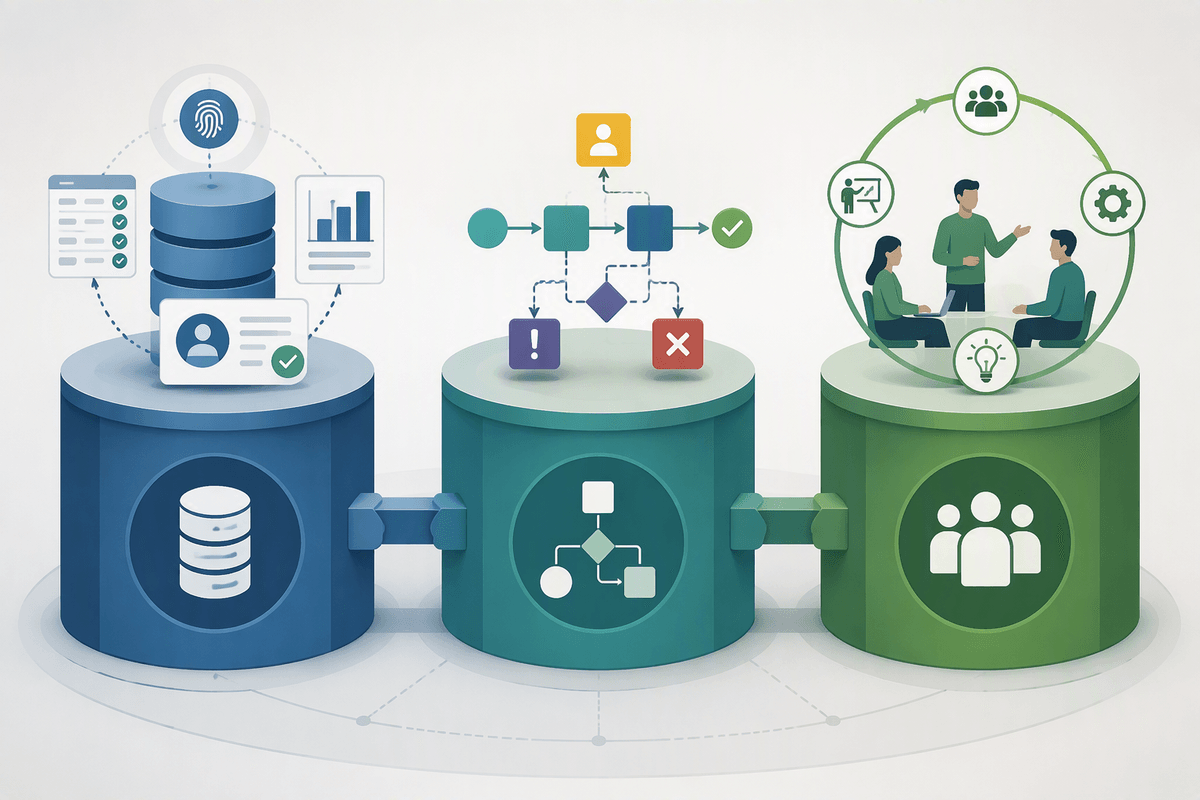
The constraints that decide everything: data, process, and change
Advertisement
Picture the work you want to “AI-ify” sitting in three places at once: a ticketing system, an email thread, and a shared drive. The model isn’t the hard part; the constraint is whether the inputs are accessible, consistent, and tied to a stable ID so outputs can be written back. If you need a new taxonomy, missing fields filled in, or permissions reworked across systems, you’re signing up for a data project before you get an AI project. That’s not bad—just expensive and slower than the demo suggests.
Process is the second constraint. AI only helps when the handoffs are explicit: who approves, what counts as “done,” where exceptions go, and how you detect errors. Without that, you get a new layer of uncertainty on top of an already messy workflow.
Change is the third. Adoption fails for practical reasons: extra clicks, unclear accountability, or reps fearing they’ll be judged on AI output. Budget time for training, calibration, and a human-owned feedback loop, or reliability will decay quietly.
Build vs buy vs “wrap what you already have”
When a team says “we should build,” they often mean “we need control.” That’s valid when the workflow is a differentiator, the data is proprietary, or you need custom guardrails and auditability. The cost is not just model work; it’s maintenance: evals, monitoring, prompt/version control, incident response, and a pipeline to retrain or adjust as inputs change. If you can’t name an internal owner for that, “build” is a liability.
Buying works when the task is common (ticket triage, invoice capture, meeting notes) and the vendor can plug into your system of record with sane permissions. The risk is lock-in and shallow fit: if the tool can’t handle your exceptions, you’re back to spreadsheets.
Advertisement
Wrapping what you already have—adding AI inside current tools via APIs—often wins early. It minimizes change management, but you still pay the integration and governance tax.
How to run a low-drama pilot that proves value fast

A low-drama pilot starts with a workflow you can measure without debates: a queue, a turnaround time, a rework rate, or dollars recovered. Pick one narrow slice (for example: “classify and route inbound requests for one product line”) and define what “done” means, where the output is written back, and what a human does when the model is unsure. Make the fallback boring and fast: a button to send to the normal queue beats a hidden spreadsheet workaround.
Keep the scope small but real. Run it in the system people already live in, with the same messy inputs, and log every exception. Set a two-week baseline, then a four-week pilot with a clear owner for monitoring and weekly calibration. Budget time for access reviews, audit trails, and user training—those are usually the longest poles. Success is not “the model is smart”; it’s fewer handoffs, fewer retries, and a metric you can defend in 30–60 days.
A simple next-step checklist for choosing your first project
You can usually pick your first “unsexy AI” project by answering eight questions in plain language. What queue is overloaded today, and what single step would remove rereads or re-keying? Can you point to the inputs (tickets, PDFs, chats) and a stable ID that ties them to the system of record? What does “done” look like, and where will the output be written back? How will you detect errors, and who reviews the uncertain cases? What metric will move in 30–60 days? Who owns monitoring and access approvals? If any answer is “we’ll figure it out later,” choose a smaller slice.